Form plugin integrations
Switches: Contact Form 7, WPForms, Fluent Forms, Gravity Forms, Elementor Pro Forms – one per form plugin, each needs that plugin to be active. Settings: Form integrations tab.
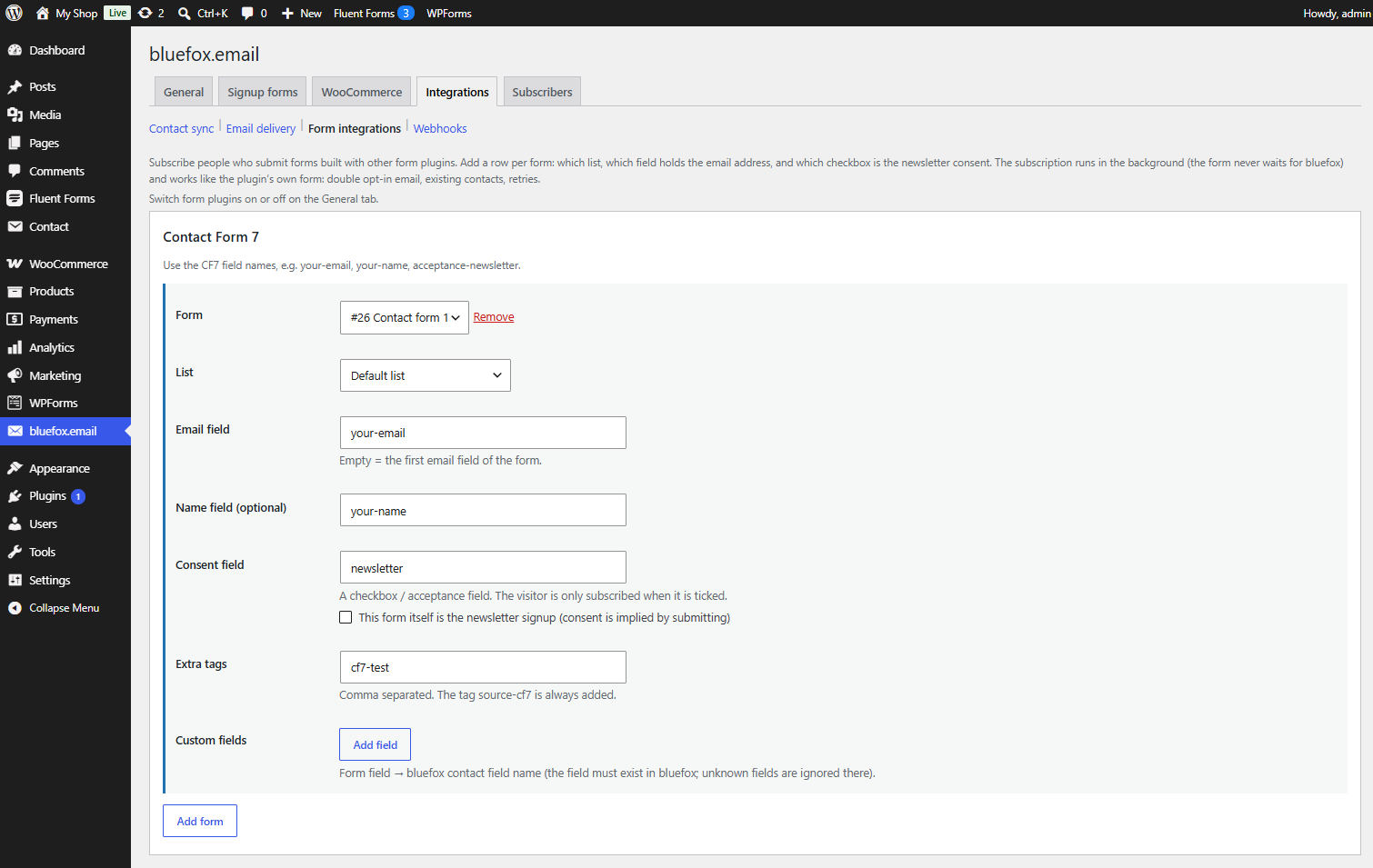
Subscribe people who submit forms built with another form plugin – a contact form with a "Send me the newsletter" checkbox, or a dedicated signup form.
How it works
For each form you set: which list, which field holds the email address, which checkbox is the newsletter consent, and optionally the name, extra tags and custom fields.
- The subscription runs in the background: the form never waits for bluefox and bluefox errors never break the form.
- From there it works like the plugin's own form: bluefox sends the double opt-in email, existing contacts are handled the same way, failed calls are retried. Confirmed signups can get the welcome coupon.
- The tag
source-<plugin>is always added:source-cf7,source-wpforms,source-fluentforms,source-gravityformsorsource-elementor. There is no interests field. - The consent record stores the form plugin, form ID and title, and the label of the consent field.
Consent
Nobody is subscribed unless one of these is true:
- Consent field – a checkbox or acceptance field that the visitor ticked. Empty,
0,false,offandnocount as not ticked. - This form itself is the newsletter signup – consent is implied by submitting. Use it only when the form clearly says that submitting it subscribes to the newsletter (GDPR: consent must be informed and unambiguous).
A form with neither shows a warning and subscribes nobody.
Fields per form
| Field | Notes |
|---|---|
| Form | dropdown of your forms (or a form ID box) |
| List | empty = the default list from the General tab |
| Email field | empty = the first email field of the form |
| Name field (optional) | stored as the contact's name |
| Consent field | see above |
| Extra tags | comma separated |
| Custom fields | form field → bluefox contact field name, up to 30. The field must exist in bluefox. email, tags and status are not allowed |
You can add several rows for the same form, for example to subscribe to two lists. Up to 50 forms per plugin.
Field names per plugin
Use the CF7 field names, e.g. your-email, your-name, acceptance-newsletter.
The visitor is subscribed after CF7 has sent its mail successfully (wpcf7_mail_sent). An [acceptance] tag works well as the consent field; its text is stored as the consent text.
Use the WPForms field IDs shown in the form builder, e.g. 1, 2. Parts of a Name field are 1.first and 1.last.
Runs on wpforms_process_complete, which fires only for successful entries. Works with WPForms Lite.
Use the input names (Advanced Options → Name Attribute), e.g. email, names.first_name, terms-n-condition.
Runs when the submission is saved (fluentform/submission_inserted).
Use the field IDs, e.g. 3. A single input of a composite field is 1.3 (first name) or 1.6 (last name). A Name field ID (1) gives the full name, a Consent field ID gives its checkbox.
Runs on gform_after_submission. Entries marked as spam are skipped.
Elementor forms are not set up on the plugin's tab. In each Form widget:
- Under Actions After Submit add bluefox.email.
- Open the new bluefox.email section and fill in List, Email field ID (empty = the first email field), Name field ID (optional), Consent field ID or This form itself is the newsletter signup, Extra tags and Custom fields (one per line:
form field ID=bluefox contact field name).
Use the fields' custom IDs (Advanced → ID), e.g. email, name, newsletter.
For developers
The cfbe_integration_signup filter receives the signup data before it is queued; return a non-array to skip it. See Hooks.