Order emails tab
Tab id: woo_events · Option: cfbe_woo_events[rules] · Needs: Order emails and WooCommerce.
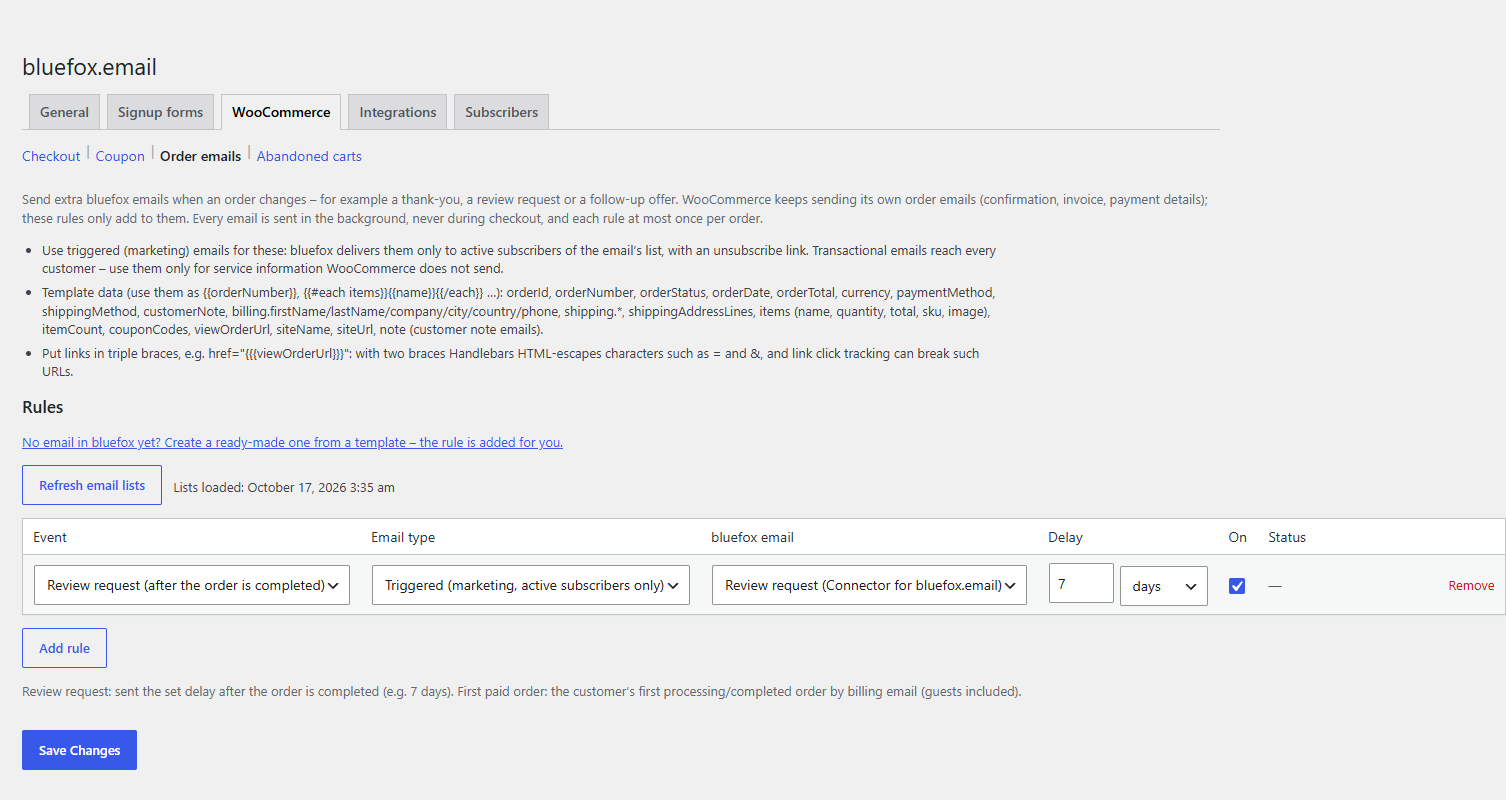
Send your own bluefox emails when something happens to an order. See Order emails for the events and Email template data for the template variables.
Refresh email lists loads your transactional and triggered emails from bluefox (stored in the cfbe_woo_events_emails option; loaded automatically the first time the tab opens).
Rules
Each row is one rule. Up to 50 rules (shared with the Abandoned carts tab). Add rule adds a row, Remove deletes it.
| Column | Option key | Default for a new row | What it does |
|---|---|---|---|
| Event | cfbe_woo_events[rules][n][event] |
Order status: Completed | order_status_<status> for every WooCommerce order status (custom statuses included), first_order (First paid order of a customer), order_note_customer (Note to customer added), review_request (Review request (after the order is completed)). |
| Email type | cfbe_woo_events[rules][n][type] |
triggered |
Transactional (service email, anyone) or Triggered (marketing, active subscribers only). |
| bluefox email | cfbe_woo_events[rules][n][email_id] |
empty | The bluefox email to send. An ID that belongs to the other email type is cleared. An ID no longer found in bluefox is kept and marked (not found in bluefox). |
| Delay | cfbe_woo_events[rules][n][delay], [delay_unit] |
0 minutes |
Wait before sending. Units: minutes, hours, days. Max. one year. |
| On | cfbe_woo_events[rules][n][enabled] |
on | A rule without an email is saved as off. |
| Status | – | – | Last sent: <time> (<n> total) and Last error (<time>): <message>. |
Each rule also has an internal id (8–16 lowercase letters and digits) that keeps its status and its "sent once per order" record when rows are reordered.
- Every email is sent in the background, never during checkout.
- Each rule is sent at most once per order.
- WooCommerce keeps sending its own order emails; the rules add to them.
- Review request is sent the set delay after the order is completed (e.g. 7 days). Use a triggered email for it.
- First paid order is the customer's first processing or completed order, matched by billing email (guests included).