Popup
Needs: Signup forms. Settings: Popup tab. Off until you tick Popup → Enabled.
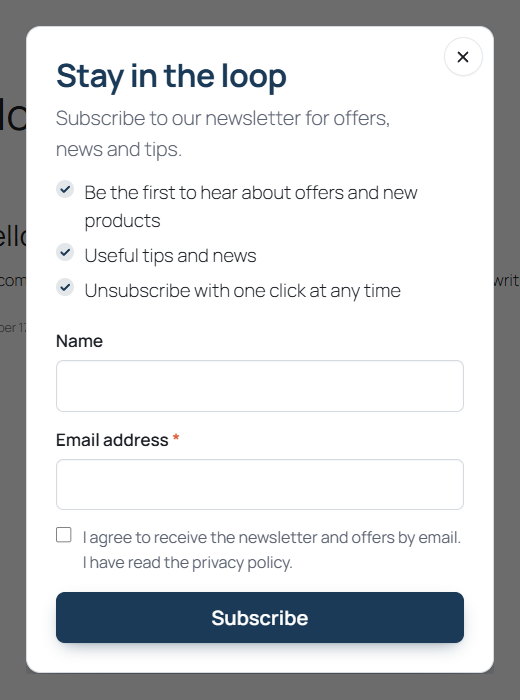
The popup shows the signup form in an accessible dialog. It has its own heading and intro (empty = the Form tab texts), form style, interests toggle, list and extra tags. Subscribers from the popup get the source-popup tag.
Triggers
| Trigger | Default | Range |
|---|---|---|
| Scroll – after the visitor scrolls this percentage of the page | on, 70 % | 10–100 % |
| Delay – after this many seconds on the page | off, 20 s | 1–300 s |
| Exit intent – desktop only, when the mouse leaves through the top of the page | off | – |
| Page views – after at least this many pages viewed | off, 2 | 1–20 |
With multiple triggers: Any is met (default) or All are met. At least one trigger must be on; if you switch all of them off, the scroll trigger is turned back on.
Targeting
- Pages – All pages, Only these or All except these, matched by page / product IDs (comma-separated) or by URL contains fragments (one per line, e.g.
/product-category/shoes/). - Never on the cart, checkout and my account pages – on by default.
- The popup is never shown on the thank-you page.
- Device – All, Desktop / tablet only or Mobile only (decided in the browser).
Page targeting is decided on the server per URL, so it is compatible with page caches. Use the cfbe_popup_should_render filter to suppress it, e.g. inside a page builder's editor.
Frequency
- Shown at most once per session.
- After closing – not shown again for this many days (default 7; 0–365).
- Never shown again after a successful signup on any of the plugin's forms.
- Show again to everyone – tick and save to reset previous dismissals (e.g. for a new promotion). Subscribers still don't see it.
This state is kept in the visitor's browser (localStorage key cfbe_popup and session storage), not in cookies.
Look and behaviour
- Width – Narrow (420 px), Medium (520 px, default), Wide (640 px).
- Overlay – colour (default
#0a0a0a) and opacity (default 0.6). - Close when clicking the overlay (default on), Animate on open (default on). Esc always closes it, and focus returns to where it was.
Waiting politely
The popup waits while another dialog is open, while the visitor is typing, while an inline signup form is on screen, and until the page has settled. Set Cookie bar selector (e.g. #cookie-notice) to make it wait while your cookie consent bar is visible. Leave it empty to show the popup regardless of the cookie bar.
Preview
Preview on the site opens your home page with ?cfbe_popup_preview=1. For users who can manage the plugin the popup opens immediately there, even when it is disabled. Save your changes first.